LLM
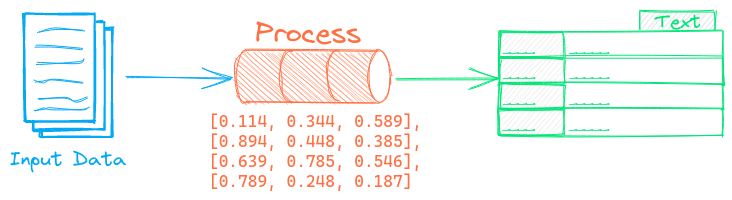
The LLM pipeline runs prompts through a large language model (LLM). This pipeline autodetects the LLM framework based on the model path.
Example
The following shows a simple example using this pipeline.
from txtai import LLM

# Create LLM pipeline
llm = LLM()

# Run prompt
llm(
  """
  Answer the following question using the provided context.

  Question:
  What are the applications of txtai?

  Context:
  txtai is an open-source platform for semantic search and
  workflows powered by language models.
  """
)

# Prompts with chat templating can be directly passed
# The template format varies by model
llm(
  """
  <|im_start|>system
  You are a friendly assistant.<|im_end|>
  <|im_start|>user
  Answer the following question...<|im_end|>
  <|im_start|>assistant
  """
)

# Chat messages automatically handle templating
llm([
  {"role": "system", "content": "You are a friendly assistant."},
  {"role": "user", "content": "Answer the following question..."}
])

# When there is no system prompt passed to instruction tuned models
# the default role is inferred `defaultrole="auto"`
llm("Answer the following question...")

# To always generate chat messages for string inputs
llm("Answer the following question...", defaultrole="user")

# To never generate chat messages for string inputs
llm("Answer the following question...", defaultrole="prompt")
The LLM pipeline automatically detects the underlying LLM framework. This can also be manually set. The following methods are supported.
llama.cpp and LiteRT-LM support both local and remote file paths on the HF Hub.
See the LiteLLM documentation for the options available with LiteLLM models.
See the OpenCode documentation for more on how to integrate the LLM pipeline with a running OpenCode instance.
from txtai import LLM

# Transformers
llm = LLM("openai/gpt-oss-20b")
llm = LLM("openai/gpt-oss-20b", method="transformers")

# llama.cpp
llm = LLM("unsloth/gpt-oss-20b-GGUF/gpt-oss-20b-Q4_K_M.gguf")
llm = LLM("unsloth/gpt-oss-20b-GGUF/gpt-oss-20b-Q4_K_M.gguf",
           method="llama.cpp")

# LiteLLM
llm = LLM("ollama/gpt-oss")
llm = LLM("ollama/gpt-oss", method="litellm")

# LiteRT-LM
llm = LLM(
  "litert-community/gemma-4-E2B-it-litert-lm/gemma-4-E2B-it.litertlm"
)
llm = LLM(
  "litert-community/gemma-4-E2B-it-litert-lm/gemma-4-E2B-it.litertlm",
  method="litert"
)

# Custom Ollama endpoint
llm = LLM("ollama/gpt-oss", api_base="http://localhost:11434")

# Custom OpenAI-compatible endpoint
llm = LLM("openai/gpt-oss", api_base="http://localhost:4000")

# LLM APIs - must also set API key via environment variable
llm = LLM("gpt-5.2")
llm = LLM("claude-opus-4-5-20251101")
llm = LLM("gemini/gemini-3-pro-preview")

# Local OpenCode server started via `opencode serve`
llm = LLM("opencode")
llm = LLM("opencode/big-pickle", url="http://localhost:4000")
Models can be externally loaded and passed to pipelines. This is useful for models that are not yet supported by Transformers and/or need special initialization.
import torch

from transformers import AutoModelForCausalLM, AutoTokenizer
from txtai import LLM

# Load Qwen3 0.6B
path = "Qwen/Qwen3-0.6B"
model = AutoModelForCausalLM.from_pretrained(
  path,
  dtype=torch.bfloat16,
)
tokenizer = AutoTokenizer.from_pretrained(path)

llm = LLM((model, tokenizer))
See the links below for more detailed examples.
| Notebook | Description | |
|---|---|---|
| Prompt-driven search with LLMs | Embeddings-guided and Prompt-driven search with Large Language Models (LLMs) |  |
| Prompt templates and task chains | Build model prompts and connect tasks together with workflows | |
| Build RAG pipelines with txtai ▶️ | Guide on retrieval augmented generation including how to create citations | |
| Integrate LLM frameworks | Integrate llama.cpp, LiteLLM and custom generation frameworks | |
| Generate knowledge with Semantic Graphs and RAG | Knowledge exploration and discovery with Semantic Graphs and RAG | |
| Build knowledge graphs with LLMs | Build knowledge graphs with LLM-driven entity extraction | |
| Advanced RAG with graph path traversal | Graph path traversal to collect complex sets of data for advanced RAG | |
| Advanced RAG with guided generation | Retrieval Augmented and Guided Generation | |
| RAG with llama.cpp and external API services | RAG with additional vector and LLM frameworks | |
| How RAG with txtai works | Create RAG processes, API services and Docker instances | |
| Speech to Speech RAG ▶️ | Full cycle speech to speech workflow with RAG | |
| Analyzing Hugging Face Posts with Graphs and Agents | Explore a rich dataset with Graph Analysis and Agents | |
| Granting autonomy to agents | Agents that iteratively solve problems as they see fit | |
| Getting started with LLM APIs | Generate embeddings and run LLMs with OpenAI, Claude, Gemini, Bedrock and more | |
| Analyzing LinkedIn Company Posts with Graphs and Agents | Exploring how to improve social media engagement with AI | |
| Parsing the stars with txtai | Explore an astronomical knowledge graph of known stars, planets, galaxies | |
| Chunking your data for RAG | Extract, chunk and index content for effective retrieval | |
| Medical RAG Research with txtai | Analyze PubMed article metadata with RAG | |
| GraphRAG with Wikipedia and GPT OSS | Deep graph search powered RAG | |
| RAG is more than Vector Search | Context retrieval via Web, SQL and other sources | |
| OpenCode as a txtai LLM | Integrate OpenCode with the txtai ecosystem | |
| Agentic College Search | Identify a list of strong engineering colleges | |
| TxtAI got skills | Integrate skill.md files with your agent | |
| Agent Tools ▶️ | Learn about the txtai agent toolkit | |
Configuration-driven example
Pipelines are run with Python or configuration. Pipelines can be instantiated in configuration using the lower case name of the pipeline. Configuration-driven pipelines are run with workflows or the API.
config.yml
# Create pipeline using lower case class name
llm:

# Run pipeline with workflow
workflow:
  llm:
    tasks:
      - action: llm
Similar to the Python example above, the underlying Hugging Face pipeline parameters and model parameters can be set in pipeline configuration.
llm:
  path: Qwen/Qwen3-0.6B
  dtype: torch.bfloat16
Run with Workflows
from txtai import Application

# Create and run pipeline with workflow
app = Application("config.yml")
list(app.workflow("llm", [
  """
  Answer the following question using the provided context.

  Question:
  What are the applications of txtai?

  Context:
  txtai is an open-source platform for semantic search and
  workflows powered by language models.
  """
]))
Run with API
CONFIG=config.yml uvicorn "txtai.api:app" &

curl \
  -X POST "http://localhost:8000/workflow" \
  -H "Content-Type: application/json" \
  -d '{"name":"llm", "elements": ["Answer the following question..."]}'
Methods
Python documentation for the pipeline.
__init__(path=None, method=None, **kwargs)
Creates a new LLM.
Parameters:
| Name | Type | Description | Default |
|---|---|---|---|
path
|
model path |
None
|
|
method
|
llm model framework, infers from path if not provided |
None
|
|
kwargs
|
model keyword arguments |
{}
|
Source code in txtai/pipeline/llm/llm.py
25 26 27 28 29 30 31 32 33 34 35 36 37 38 39 | |
__call__(text, maxlength=512, stream=False, stop=None, defaultrole='auto', stripthink=None, **kwargs)
Generates content. Supports the following input formats:
- String or list of strings (instruction-tuned models must follow chat templates)
- List of dictionaries with
roleandcontentkey-values or lists of lists
Parameters:
| Name | Type | Description | Default |
|---|---|---|---|
text
|
text|list |
required | |
maxlength
|
maximum sequence length |
512
|
|
stream
|
stream response if True, defaults to False |
False
|
|
stop
|
list of stop strings, defaults to None |
None
|
|
defaultrole
|
default role to apply to text inputs ( |
'auto'
|
|
stripthink
|
strip thinking tags, defaults to False if stream is enabled, True otherwise |
None
|
|
kwargs
|
additional generation keyword arguments |
{}
|
Returns:
| Type | Description |
|---|---|
|
generated content |
Source code in txtai/pipeline/llm/llm.py
41 42 43 44 45 46 47 48 49 50 51 52 53 54 55 56 57 58 59 60 61 62 63 64 65 66 67 68 | |