Summary
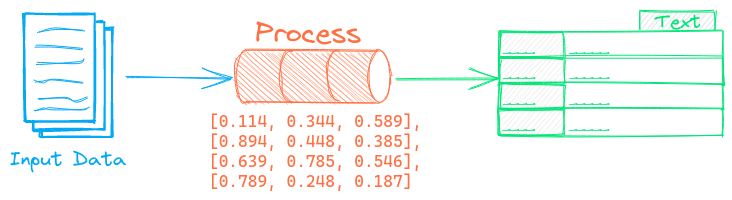
The Summary pipeline summarizes text. This pipeline runs a text2text model that abstractively creates a summary of the input text.
Example
The following shows a simple example using this pipeline.
from txtai.pipeline import Summary

# Create and run pipeline
summary = Summary()
summary("Enter long, detailed text to summarize here")
See the link below for a more detailed example.
| Notebook | Description | |
|---|---|---|
| Building abstractive text summaries | Run abstractive text summarization |  |
Configuration-driven example
Pipelines are run with Python or configuration. Pipelines can be instantiated in configuration using the lower case name of the pipeline. Configuration-driven pipelines are run with workflows or the API.
config.yml
# Create pipeline using lower case class name
summary:

# Run pipeline with workflow
workflow:
  summary:
    tasks:
      - action: summary
Run with Workflows
from txtai import Application

# Create and run pipeline with workflow
app = Application("config.yml")
list(app.workflow("summary", ["Enter long, detailed text to summarize here"]))
Run with API
CONFIG=config.yml uvicorn "txtai.api:app" &

curl \
  -X POST "http://localhost:8000/workflow" \
  -H "Content-Type: application/json" \
  -d '{"name":"summary", "elements":["Enter long, detailed text to summarize here"]}'
Methods
Python documentation for the pipeline.
__init__(path=None, quantize=False, gpu=True, batch=64, **kwargs)
Source code in txtai/pipeline/text/summary.py
16 17 18 19 20 21 22 23 24 | |
__call__(text, minlength=None, maxlength=None, **kwargs)
Runs a summarization model against a block of text.
This method supports text as a string or a list. If the input is a string, the return type is text. If text is a list, a list of text is returned with a row per block of text.
Parameters:
| Name | Type | Description | Default |
|---|---|---|---|
text
|
text|list |
required | |
minlength
|
minimum length for summary |
None
|
|
maxlength
|
maximum length for summary |
None
|
|
kwargs
|
additional keyword arguments |
{}
|
Returns:
| Type | Description |
|---|---|
|
summary text |
Source code in txtai/pipeline/text/summary.py
26 27 28 29 30 31 32 33 34 35 36 37 38 39 40 41 42 43 44 45 46 47 48 49 50 51 52 53 54 55 56 57 58 59 60 61 62 63 64 65 | |